
Download FireNes – Play 2,500+ Classic NES Games Directly in Firefox
Overview of FireNes
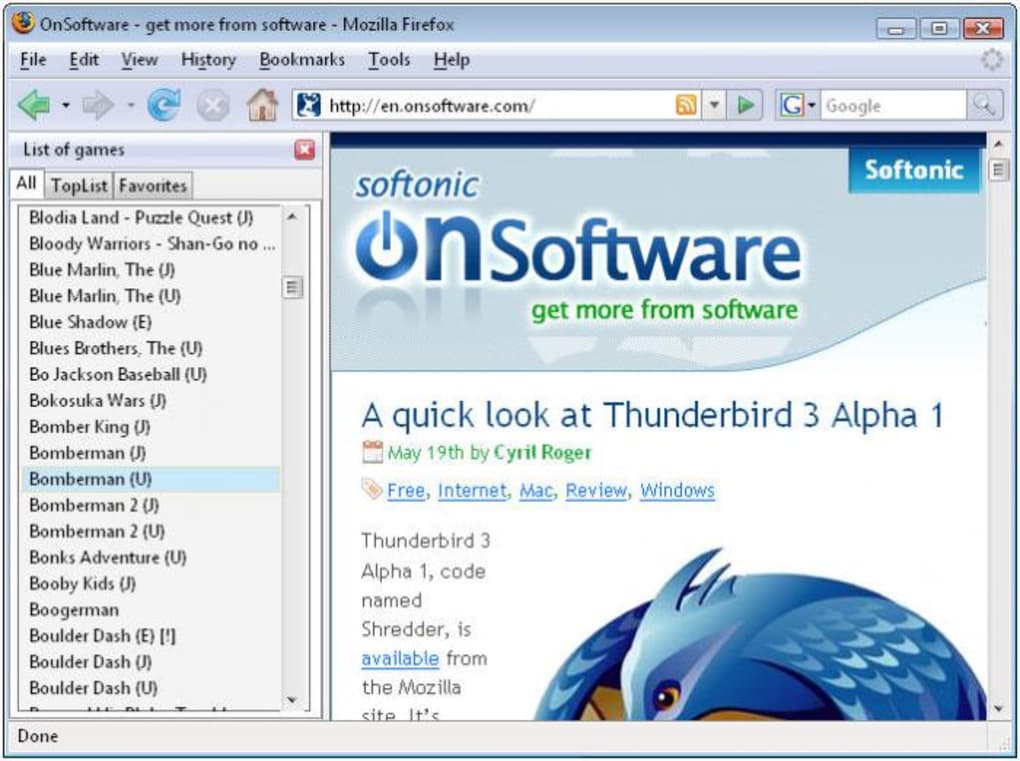
FireNes is a free Firefox add‑on that transforms your browser into a nostalgic arcade cabinet. With a library of more than 2,500 Nintendo Entertainment System (NES) titles, the extension brings the golden era of 8‑bit gaming back to life without the need for external emulators or ROM files. The interface is simple: a vertical sidebar on the left lists every game in alphabetical order, while two additional tabs – “Top” and “Favorites” – let you quickly access the most popular or your personal picks.
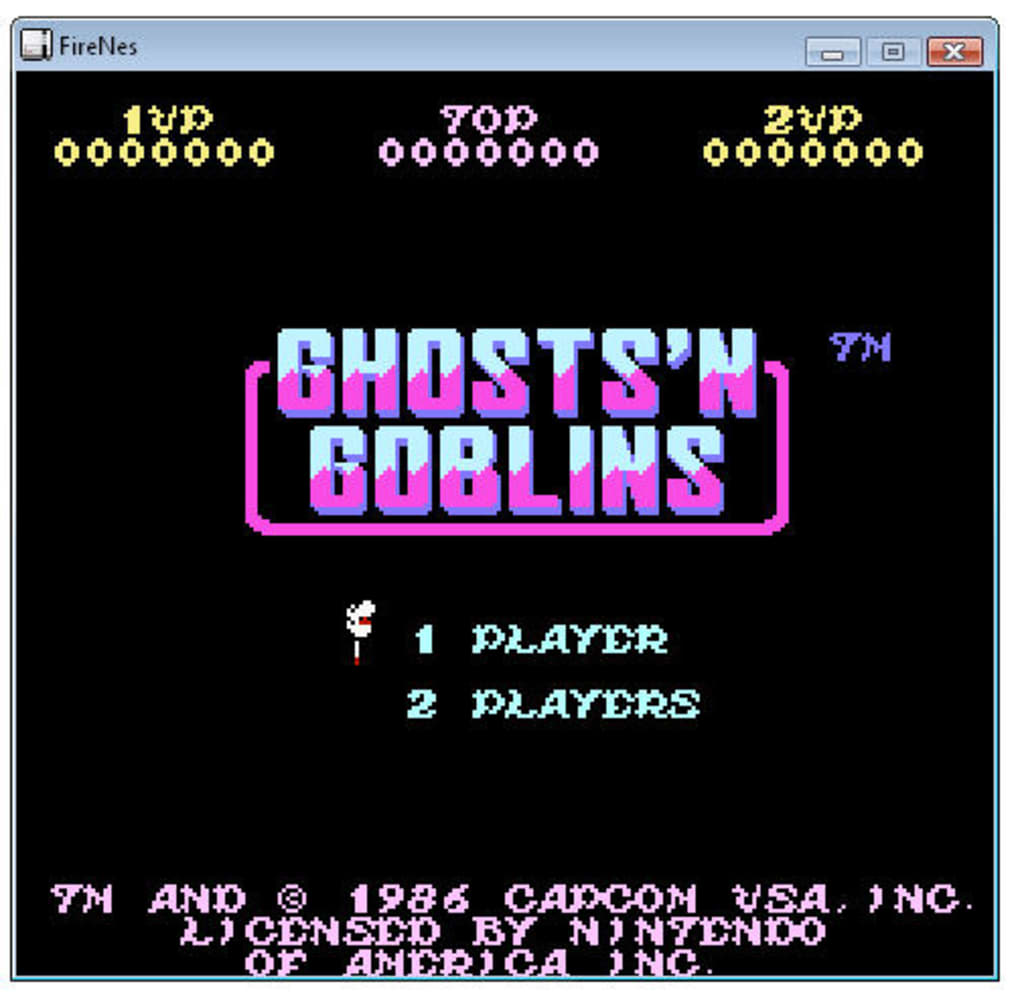
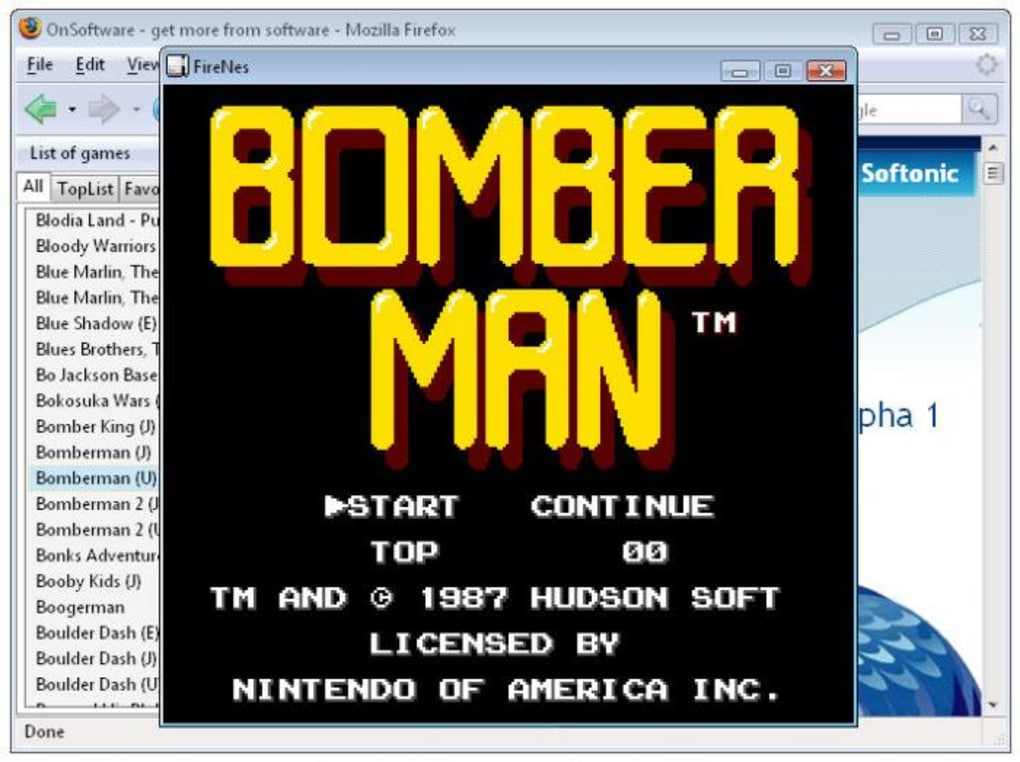
Although a dedicated search bar is missing, the sheer breadth of the catalog ensures that you’ll rediscover beloved classics and perhaps stumble upon hidden gems you never knew existed. Once you double‑click a title, the game launches in a compact, standalone window that runs independently of Firefox, allowing you to keep browsing while you play. Controls are mapped to the keyboard (arrow keys, Enter, Ctrl, Z, and X), mirroring the original console layout.
While occasional input lag or minor bugs can occur, the developer provides a feedback form to report issues, ensuring the collection stays polished over time. Whether you’re a retro‑gaming enthusiast or a newcomer curious about gaming history, FireNes offers a secure, hassle‑free way to enjoy thousands of NES titles directly from your favorite web browser.
Features & Gameplay Experience
What FireNes Brings to Your Browser
- Access to over 2,500 NES titles, spanning every genre from platformers to RPGs.
- Alphabetical game list with “Top” and “Favorites” tabs for quick navigation.
- Standalone game window that operates independently of the Firefox tab.
- Keyboard‑only control scheme (arrow keys, Enter, Ctrl, Z, X) mirroring original NES pads.
- Built‑in feedback form for reporting bugs or suggesting new titles.
- Free and open‑source, with regular updates from the developer community.
- Lightweight design that does not compromise Firefox performance.
- Secure download from Mozilla’s official add‑on repository.
The gameplay experience with FireNes feels surprisingly authentic given the web‑based delivery method. When a game launches, the emulator window preserves the original 256×240 resolution, complete with the characteristic pixelated graphics and chiptune soundtracks. The keyboard mapping, while limited, is intuitive: the arrow keys handle movement, Z and X serve as the classic A and B buttons, and Enter functions as Start.
Some titles may require a short adjustment period to accommodate the lack of a dedicated controller, but the overall responsiveness is comparable to native NES emulators. The “Top” tab curates community‑rated favorites like Super Mario Bros., The Legend of Zelda, and Metroid, providing an excellent starting point for newcomers. Meanwhile, the “Favorites” tab lets you bookmark personal classics, ensuring a seamless return to your go‑to games.
Although the absence of a search bar can make locating a specific title tedious in a list of thousands, the alphabetical arrangement and tab system compensate by offering a structured browsing experience. Moreover, FireNes’s continuous updates introduce new titles and bug fixes, keeping the library fresh and the gameplay smooth.
Installation, Usage & Compatibility Guide
Step‑by‑Step Installation
Installing FireNes is straightforward and takes just a few minutes. Begin by opening Firefox and navigating to the official Mozilla Add‑Ons page. Search for “FireNes” or follow the direct link provided by the developer.
Click the “Add to Firefox” button, confirm any permission prompts, and the extension will automatically download and install. Once installed, a small icon appears in the toolbar; clicking it reveals the sidebar where the massive game library resides. No additional software, drivers, or external ROM files are required—FireNes handles all emulation internally.
How to Play Your First Game
After installation, open the sidebar via Tools > FireNes or click the toolbar icon. Browse the alphabetical list or switch to the “Top” tab to find a popular title. Double‑click on a game name, and a separate window will pop up, loading the emulator and the selected ROM instantly. Use the keyboard controls (arrow keys, Z, X, Enter, and Ctrl) to start playing. If you wish to add a title to your personal collection, right‑click the game name and select “Add to Favorites.” To return to browsing, simply close the game window; the sidebar remains accessible for the next round.
Operating System Compatibility
FireNes runs on any platform that supports the latest version of Firefox, including Windows 10/11, macOS 10.15 and later, Linux distributions, and even Chrome OS devices that can install Firefox. Because the add‑on is built with web standards, it inherits Firefox’s cross‑platform stability, ensuring consistent performance whether you’re on a desktop, laptop, or tablet. Mobile Firefox versions currently do not support add‑ons, so FireNes is limited to desktop environments.
The extension is regularly updated to stay compatible with new Firefox releases. Users are advised to keep their browser up to date to benefit from security patches, performance improvements, and the latest FireNes enhancements. Should you encounter any issues, the built‑in feedback form allows you to report bugs directly to the developer, who typically responds within a few days.
Pros, Cons, Frequently Asked Questions & Final Thoughts
Pros
- Extensive library of over 2,500 NES games – one of the largest free collections available.
- Seamless integration with Firefox, eliminating the need for separate emulators.
- Free, open‑source, and regularly updated by a dedicated community.
- Lightweight design that does not slow down the browser.
- Secure download from Mozilla’s official add‑on store.
Cons
- No built‑in search function, making it harder to locate specific titles in a huge list.
- Keyboard‑only controls may feel limiting for games that benefit from analog input.
- Occasional input lag or minor bugs in less‑tested games.
- Not compatible with mobile versions of Firefox.
- Standalone game window lacks advanced features like save states or screen filters.
Frequently Asked Questions
Is FireNes safe to download?
Yes. FireNes is hosted on the official Mozilla Add‑Ons site, which verifies extensions for security and privacy. The add‑on does not collect personal data beyond optional feedback submissions.
Can I use a game controller with FireNes?
FireNes currently supports only keyboard input. While some controllers can be mapped to keyboard keys via third‑party software, the add‑on itself does not provide native controller support.
How often is the game library updated?
The developer releases updates roughly every 1–2 months, adding new titles, fixing bugs, and improving compatibility with the latest Firefox releases.
Does FireNes work on macOS?
Yes. As long as you have a recent version of Firefox installed on macOS, FireNes runs smoothly.
Can I request a specific game to be added?
Absolutely. The sidebar includes a feedback form where you can suggest new titles or report issues. The developer often reviews community requests for future updates.
Conclusion & Call to Action
FireNes delivers an impressive, browser‑based gateway to the classic NES era, offering more than 2,500 titles in a single, free extension. While the lack of a search function and controller support are minor drawbacks, the convenience of playing directly inside Firefox outweighs these issues for most retro‑gaming fans. If you’re looking for a secure, hassle‑free way to relive the 8‑bit golden age without installing heavyweight emulators, FireNes is the perfect solution. Download FireNes today, add your favorite classics to the Favorites tab, and start your nostalgic adventure straight from your browser.







